01 / FIND
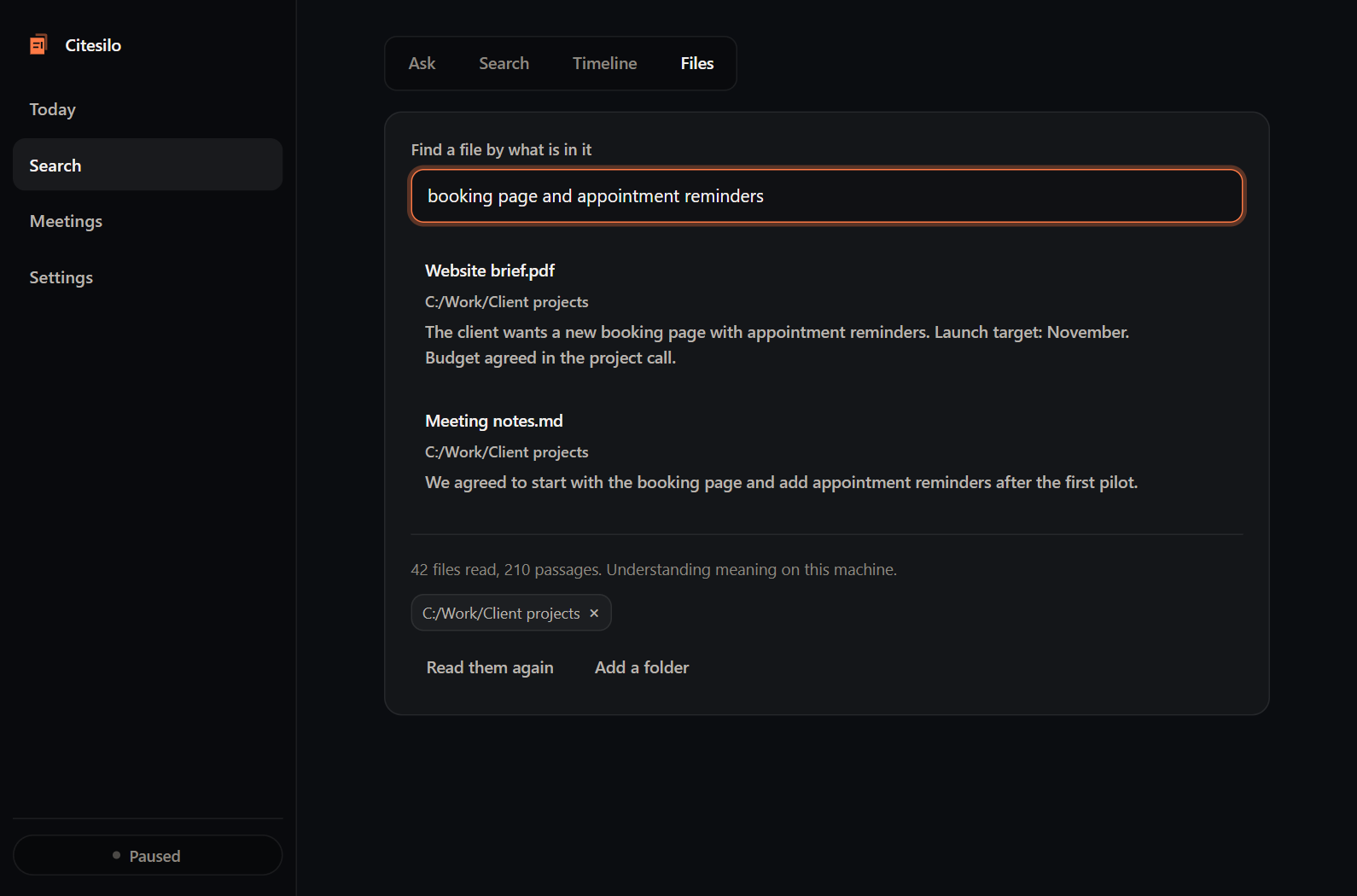
the client’s booking page
Website brief.pdfThat’s the one.
The idea is enough.
Search selected local files by what’s inside them, even when the name escapes you.
 CiteSilo.
The file you forgot. The page you saw.
The work you want to pick up again.
Find your way back with CiteSilo.
CITESILO IN MOTIONYour workday, remembered. Illustrated demo · 30 seconds
You don’t need the perfect filename.
Start with what you remember.
From that first open file to your Friday review.
A little more context, right when you need it.
Search selected local files by what’s inside them, even when the name escapes you.
When capture is enabled, revisit captured moments and search the screen text you saved.
Review recorded work in daily and weekly reports. Bring the details back into focus.
Illustrations show example work. Capture and report coverage depend on your settings.
Your captured history and file index stay on your computer. Choose what to capture, exclude private apps and pause whenever you want.
Optional cloud AI receives selected context for answers and summaries. You choose the provider and settings.
Explore storage & controlsCiteSilo is a desktop app that helps you find your way back to your work. Search files by what is inside them, revisit captured screen moments, ask questions with source references, and review how your day went.
People who work across lots of windows, files, and projects. Freelancers, developers, and independent consultants can use it to recover context without keeping a manual log of every task.
Enter your email in the signup field on this page. We’ll follow up by email with beta access details and next steps. The current beta is for Windows and macOS.
Captured activity, screenshots, screen text, and your local file index are stored on your computer. If you choose a cloud AI provider, the app sends selected context to that provider for answers or summaries. Background summaries can include sampled screenshots, depending on settings and provider. You can use titles-only mode or turn off summaries.
Yes. Pause capture, exclude private apps or keywords, choose titles-only mode, and set screenshot retention. Screen rewind and meeting capture have separate controls. Review the settings before starting capture.
Local mode provides file search, screen-text search, counted reports and source excerpts without a cloud API key. AI-written summaries and interpretive answers require an optional cloud provider or a separately installed compatible Ollama model. Cloud providers may have separate charges.
Yes. CiteSilo is free during the beta. We are looking for people to try it during their everyday work and share feedback. CiteSilo does not charge for beta access. If you choose an external AI provider, its fees are separate.
The beta targets Windows and macOS, with macOS build workflows for Intel and Apple Silicon. Real-device validation and signing remain outstanding for version 0.1.7. Read the Windows and macOS notes linked below, or contact us about the build for your system.
Give your work a way back.
Join the free beta For Windows & macOS · Free during the beta